Build your profile
Bring your resume as a PDF or LaTeX file, or write one in the built-in LaTeX editor. Your profile keeps the details application forms ask for in one place.
Built for CS students searching for internships.
Get a daily AI-ranked shortlist of recent roles, targeted alerts, and one place to manage every application.
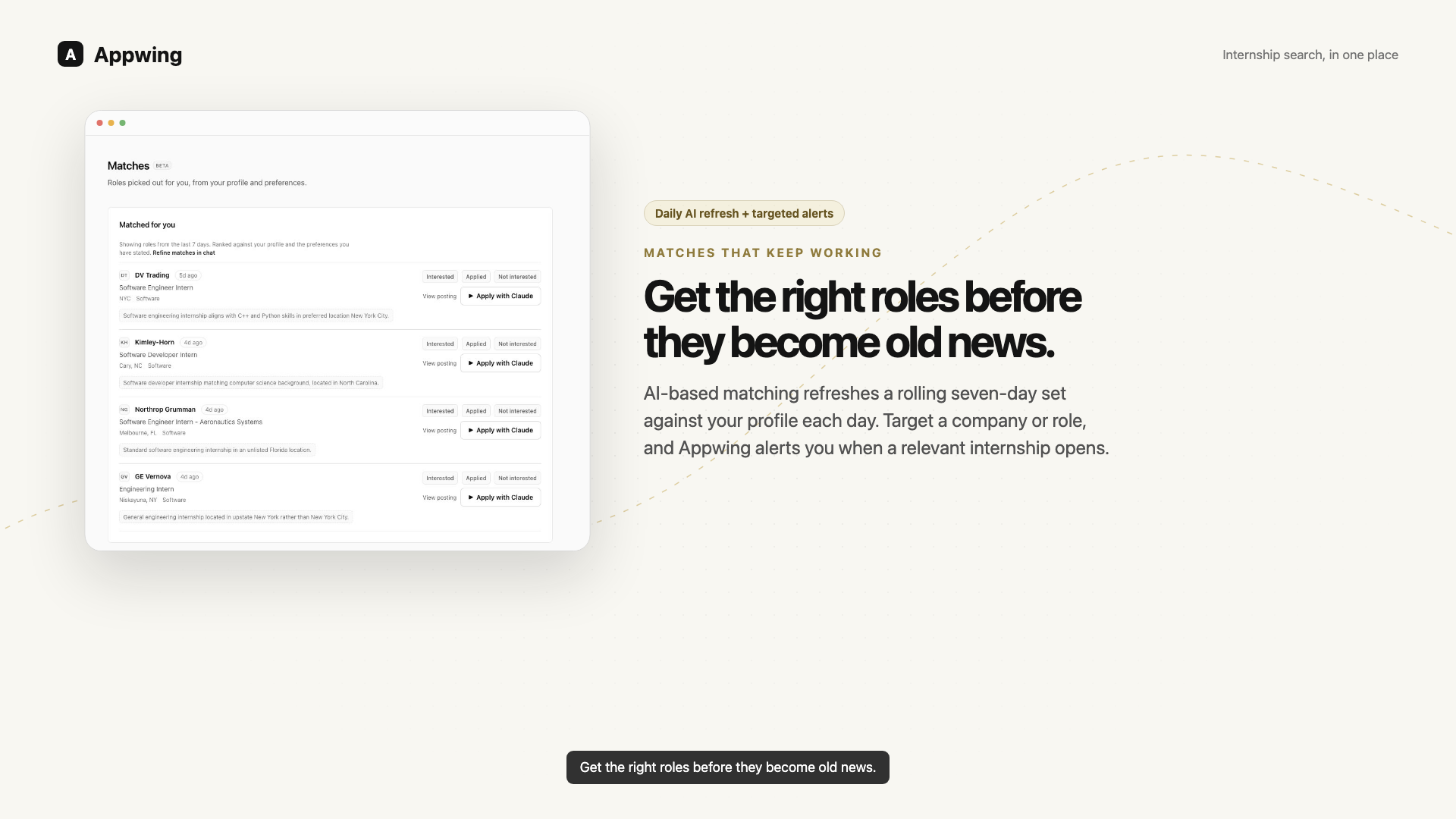
Profile, matches, alerts, applications — one connected search.
A search that keeps up with you
Appwing turns the details you share into a current profile, a daily-refreshed shortlist of recent roles, and alerts tailored to the roles you care about.
Bring your resume as a PDF or LaTeX file, or write one in the built-in LaTeX editor. Your profile keeps the details application forms ask for in one place.
Tell Claude the roles, locations, skills, and companies you want to prioritize.
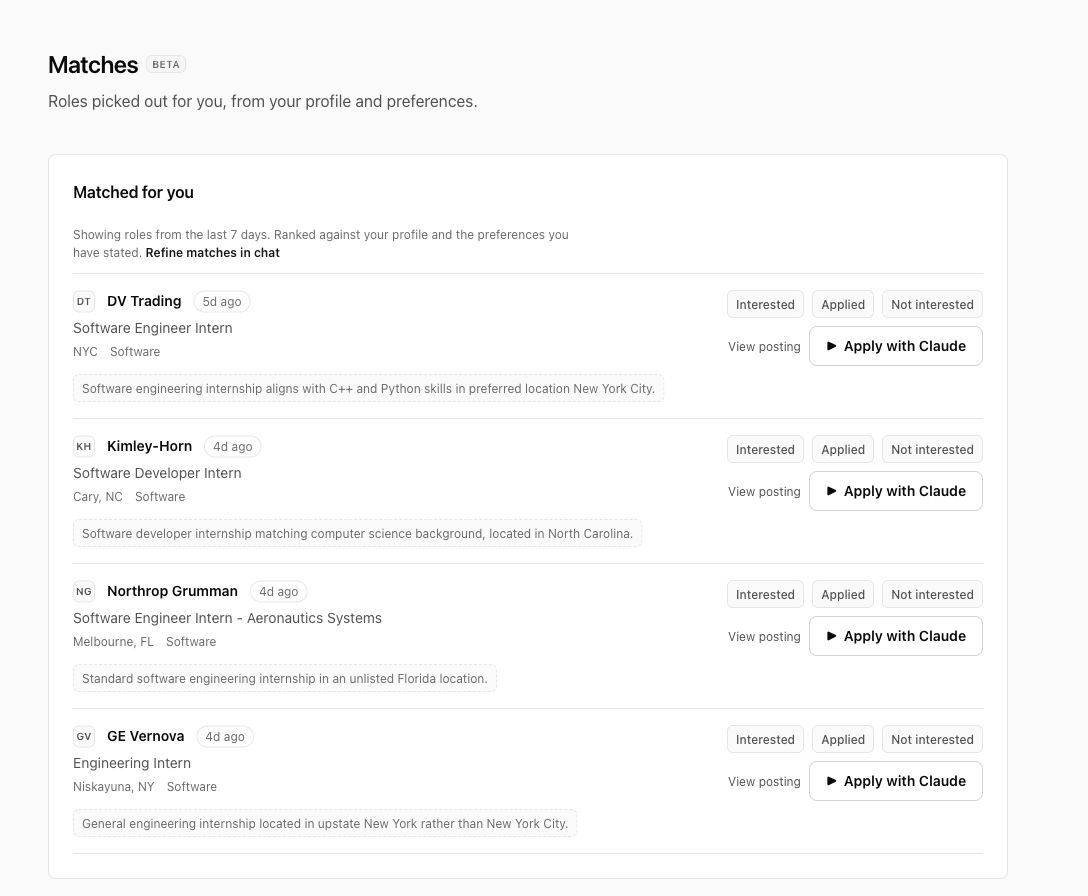
Appwing refreshes a rolling seven-day set of internships against your profile and shows why each role is worth your time.
Create targeted alerts for companies, role terms, or fields, on a daily or weekly cadence.
Focus your effort
Appwing refreshes a rolling seven-day set of Summer 2027 internships against your profile each day. Each recommendation explains the match, so you can decide where to spend your time.
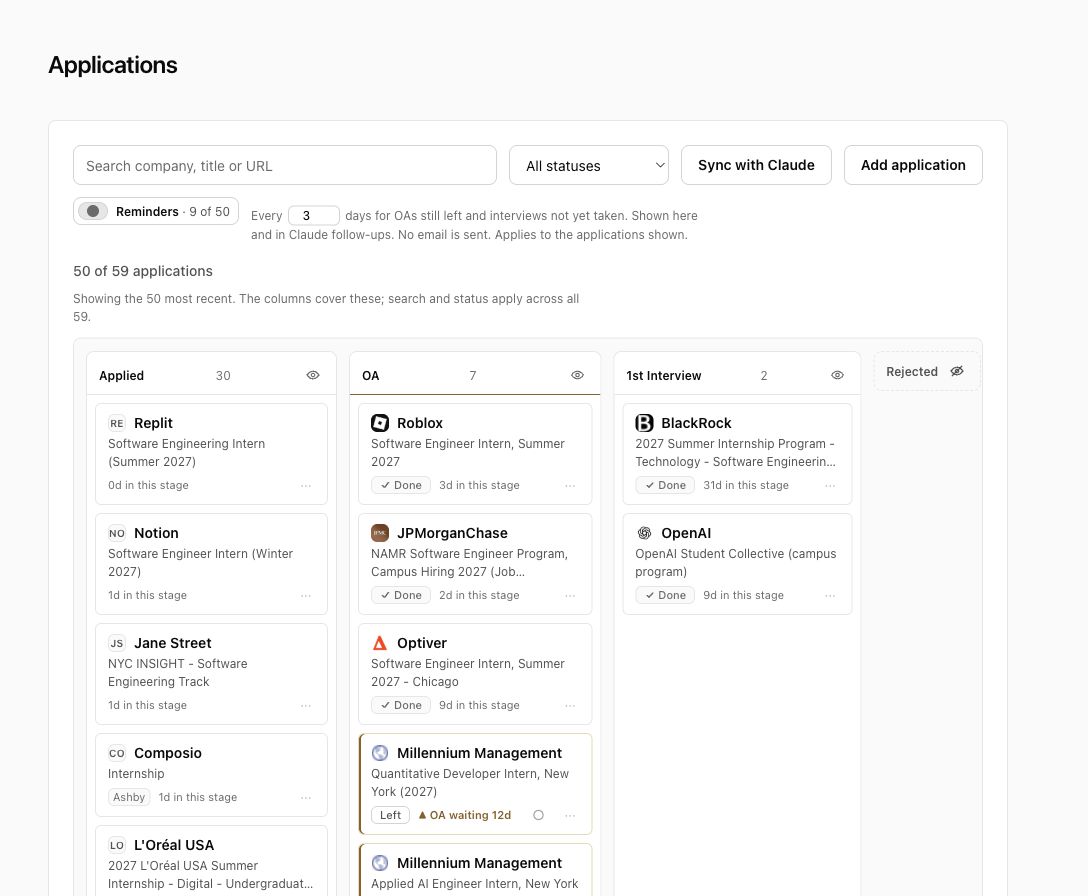
Your application history, kept current
Each approved application is recorded with the posting, the answers that were sent and the screenshot you approved. Ask Claude to sync your application inbox and record updates from Claude’s own Gmail connector into your tracker.
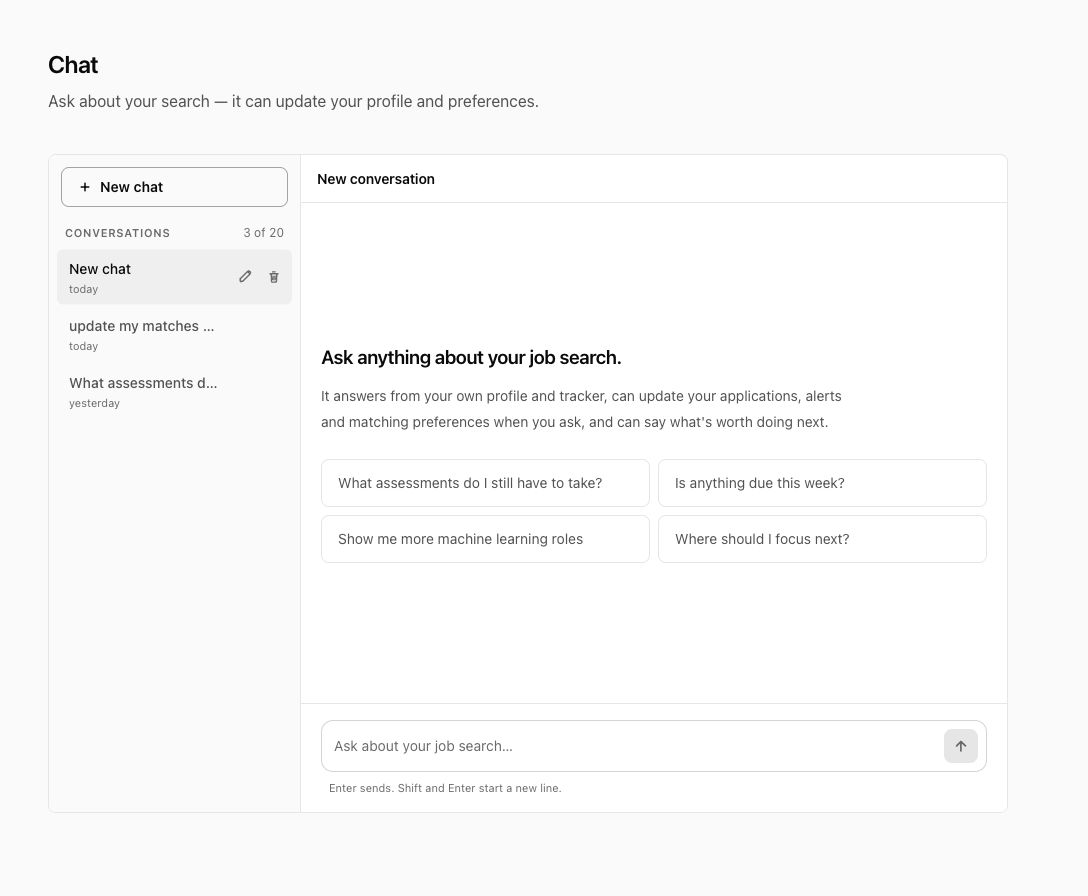
Your search, managed in conversation
The Appwing connector lets Claude update your profile, preferences, tracker, and targeted alerts from the conversation. The browser extension handles form filling when you are ready to apply.
You stay in control
The first 7 days are free and need no card. After that, Appwing Plus is $20 a month and removes the caps. If you do not subscribe, your tracker, your profile and the application board keep working with 100 new applications a month. Nothing you saved is deleted, and you can cancel from the billing portal at any time.
No. Submission requires your approval of a screenshot of the completed form, and there is no setting that removes that requirement.
Greenhouse, Lever, Ashby, Workday, iCIMS, Workable, SmartRecruiters, BambooHR, Rippling and Breezy are the vendors Appwing knows by name. On their application pages the extension appears on its own, with nothing to press.
Anywhere else — an employer's own careers site, a Greenhouse, Lever or Ashby form embedded in one, a job board this list does not name — click the Appwing icon in your browser toolbar and it fills that page the same way.
Outside the named sites the extension runs only when you click it. On the named sites it looks only for the shape of an application form and activates only when it finds one — it reads nothing else, and sends nothing anywhere.
No. Bring your resume as a PDF or LaTeX file, or write one in Appwing's built-in LaTeX editor. Keep a library of resumes. For each job, your AI agent picks one or tailors a copy, and the extension attaches it to the application.
Appwing tells Claude to use only facts from your profile or from you when it tailors a copy. Read the result before you apply.
No. Appwing holds no Gmail credential and requests no Gmail scope. If you have connected Gmail to Claude, that connection is between you and Anthropic.
You need it to have forms filled. Claude fills application forms through the extension, so there is no autofill without it. Your tracker, your resumes and your profile work either way. It installs from the Chrome Web Store.